
Blackmagic RAW is a professional video codec built by Blackmagic Design, used inside their cinema cameras. It is not the format your Blackmagic Camera app records on your phone.
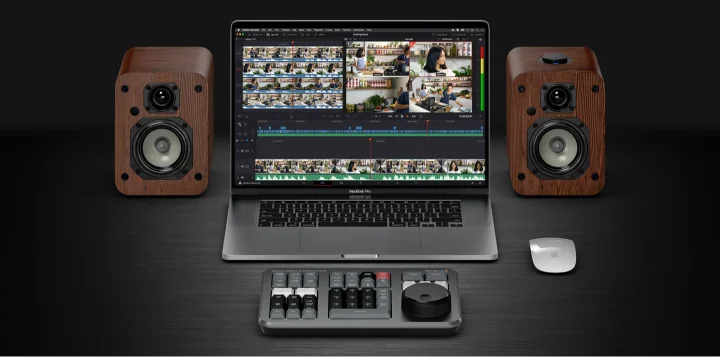
This page explains the format itself, since it powers Blackmagic Design’s wider camera lineup and DaVinci Resolve. Read on even if you only use the Android app download, since the same company and color science connect both.
How Blackmagic RAW Works
Blackmagic RAW stores each clip as a single file, unlike older RAW formats that save one file per frame. A free software development kit lets any program decode that file using GPU and CPU acceleration together.
That acceleration runs on Apple Metal, CUDA, and OpenCL for graphics processors, and on modern processor instructions for CPUs. The result plays back smoothly even on older computers, which matters most in a free Blackmagic RAW player.
Blackmagic RAW Files and Common Components
Each clip saves with the .braw file extension, carrying embedded metadata like ISO, lens data, and color space. The official installer bundles a player, a developer kit, and editing plugins for Premiere Pro and Avid into one download.
Software developers call these pieces the format’s common components, since every one shares the same underlying decoder. Read bring BRAW into Premiere Pro once you need that plugin installed.
Blackmagic RAW Encoding Options
Blackmagic RAW offers two encoding modes, constant bitrate and constant quality. Constant bitrate keeps file size predictable, while constant quality keeps detail consistent across a whole shoot.
| Mode | Ratio Options | Best For |
|---|---|---|
| Constant Bitrate | 5:1, 8:1, 12:1, 18:1 | Predictable file sizes |
| Constant Quality | Variable | Consistent detail throughout |
Is Blackmagic RAW 16 Bit or 12 Bit
Blackmagic RAW stores color in a custom 12 bit space, not a full 16 bit space. Blackmagic Design confirms this directly on its own product page.
Some editors describe 12 bit RAW footage as 16 bit once DaVinci Resolve decodes it. That reflects how the software processes the file, not the original bit depth the camera actually captured.
Twelve bits still holds enough color data for serious grading work, especially with the extra metadata Blackmagic RAW carries. Read how Blackmagic RAW compares with ProRes to see how this stacks up against Apple’s own RAW format.
Why Blackmagic RAW Editing Does Not Destroy the Original File
Blackmagic RAW keeps camera settings like ISO and white balance as separate metadata, not baked into the pixels. An editor can change those values later in DaVinci Resolve without any quality loss.
A separate sidecar file stores any changes in a readable format, leaving the original camera data untouched underneath. This differs from a workflow built around LUTs, where the look applies more directly to the image.
Anyone without a Blackmagic camera can still practice this workflow. Download sample BRAW clips to test color grading yourself.
Convert Blackmagic RAW to MP4 once you need a simpler file for sharing instead.
Frequently Asked Questions
What is Blackmagic RAW used for?
Filmmakers use it to capture, edit, and finish footage entirely inside DaVinci Resolve, without converting the file first.
Does the Blackmagic Camera app record Blackmagic RAW?
No. The Android app records in H.264 and H.265. Blackmagic RAW belongs to Blackmagic Design’s physical cinema cameras instead.
Is Blackmagic RAW free to use?
Yes. The format and its developer kit are both free, with no license fee for software that supports it.
What file extension do Blackmagic RAW files use?
Every clip saves with a .braw extension, along with optional sidecar files for edited metadata.